E-signing for firms and small businesses
Signing for professional services, from PDF to sealed copy.
Signing a document online shouldn't cost more than posting it. PrimeSign is quality e-signing for professional firms and small businesses. Drop in a PDF, check the fields it places on the signing lines, and send. Your client signs on their phone in a few taps, and everyone gets a sealed copy.
Coming soon. No launch date yet: join the list and we'll be in touch.
What we believe
Signing online shouldn't cost more than posting a letter.
Engagement letters, client agreements, authorities, consents, quotes. Every business sends them, and getting them signed should be quick, look like you, and leave a record of who signed what and when. Our aim is to make quality e-signing cost less than an envelope and a stamp.
- No account for clientsA personal link in an email from you. Nothing to install.
- Works on a phoneOne step at a time, designed for small screens as well as large.
- Your name on itYour branding on every page and email.
For your clients
Tap, adopt, finish.
Your client never has to work out what to do next. Each screen asks for one thing.
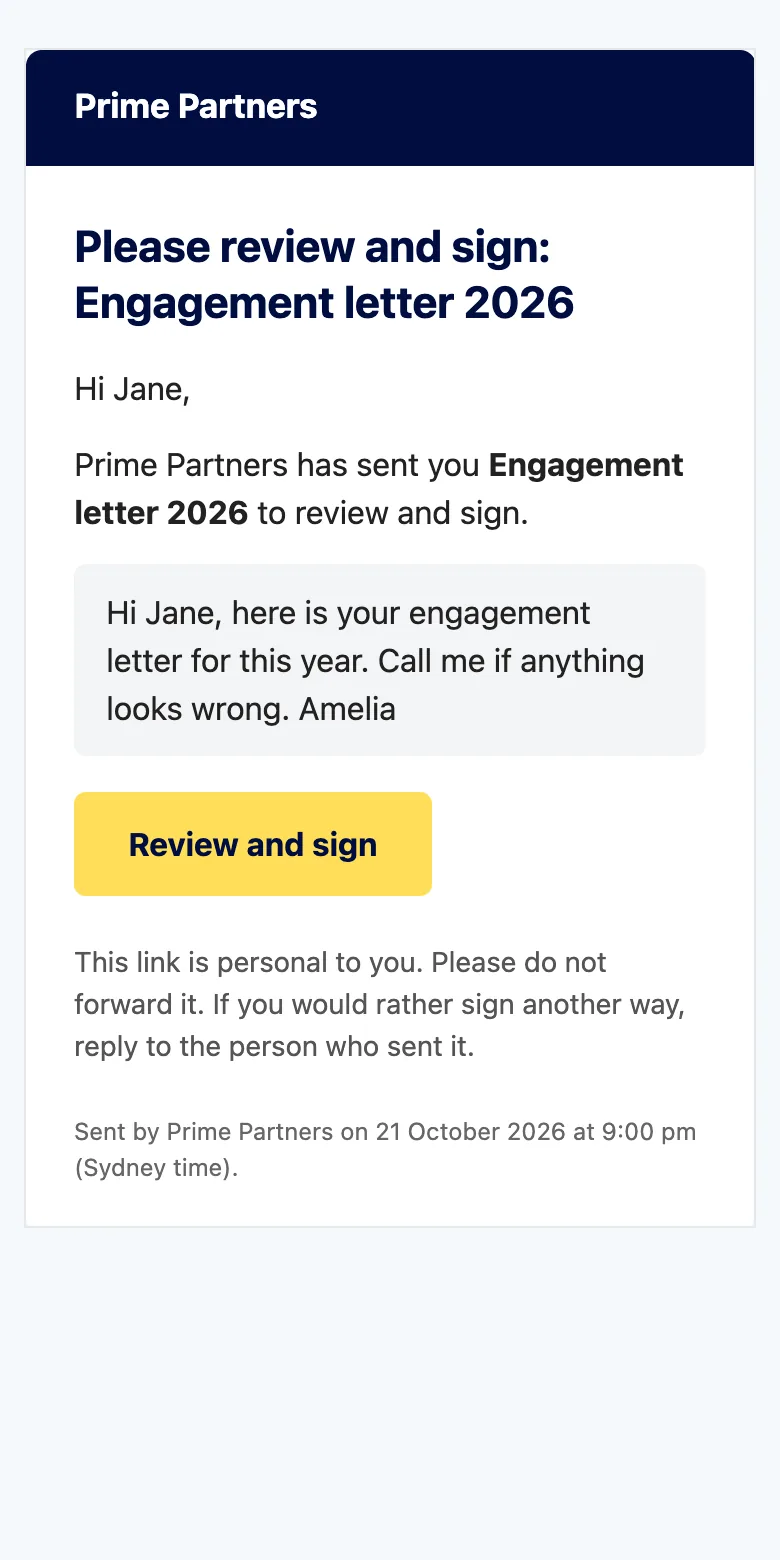
Tap
An email from you, with your note, and one button. They agree to sign electronically, and that consent is recorded with the time and device.
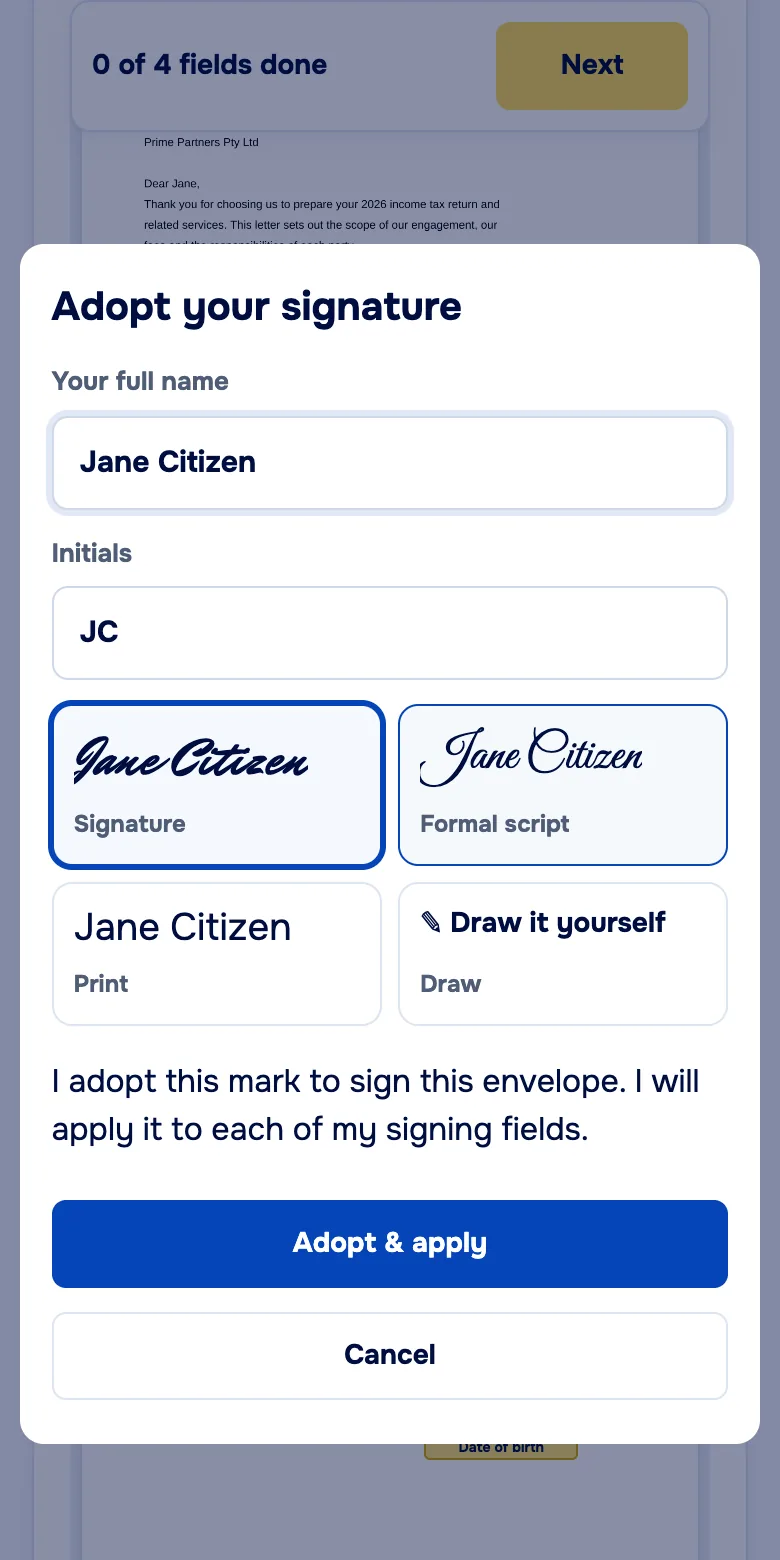
Adopt
They pick a signature style or draw their own with a finger, once. PrimeSign applies it to each of their signing fields, and walks them from one field to the next.
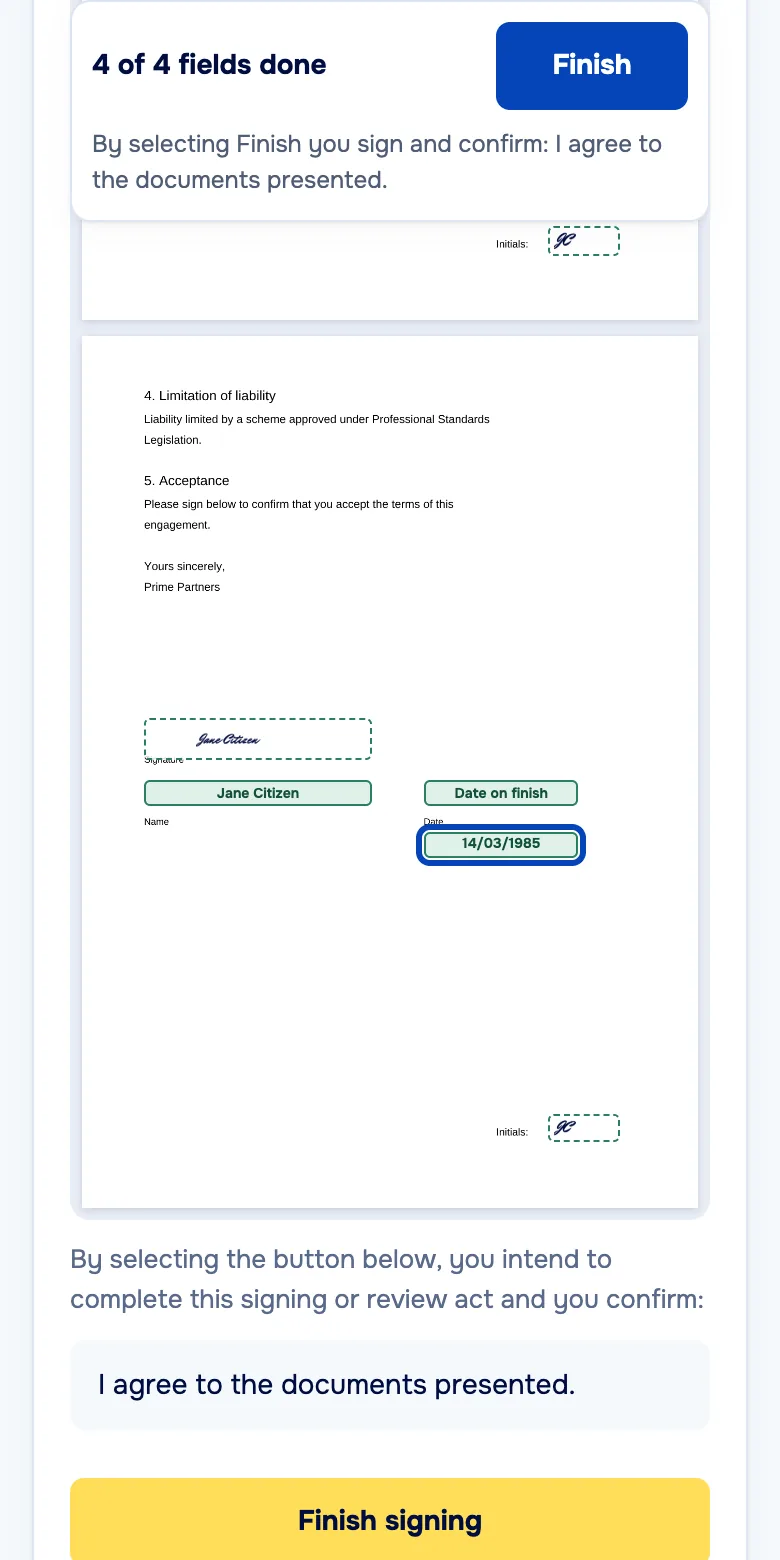
Finish
They confirm and select Finish signing. When everyone has signed, they can download the sealed copy straight from the page.
For your team
From PDF to signing link in a few minutes.
Screens from PrimeSign as it works today, with sample documents.
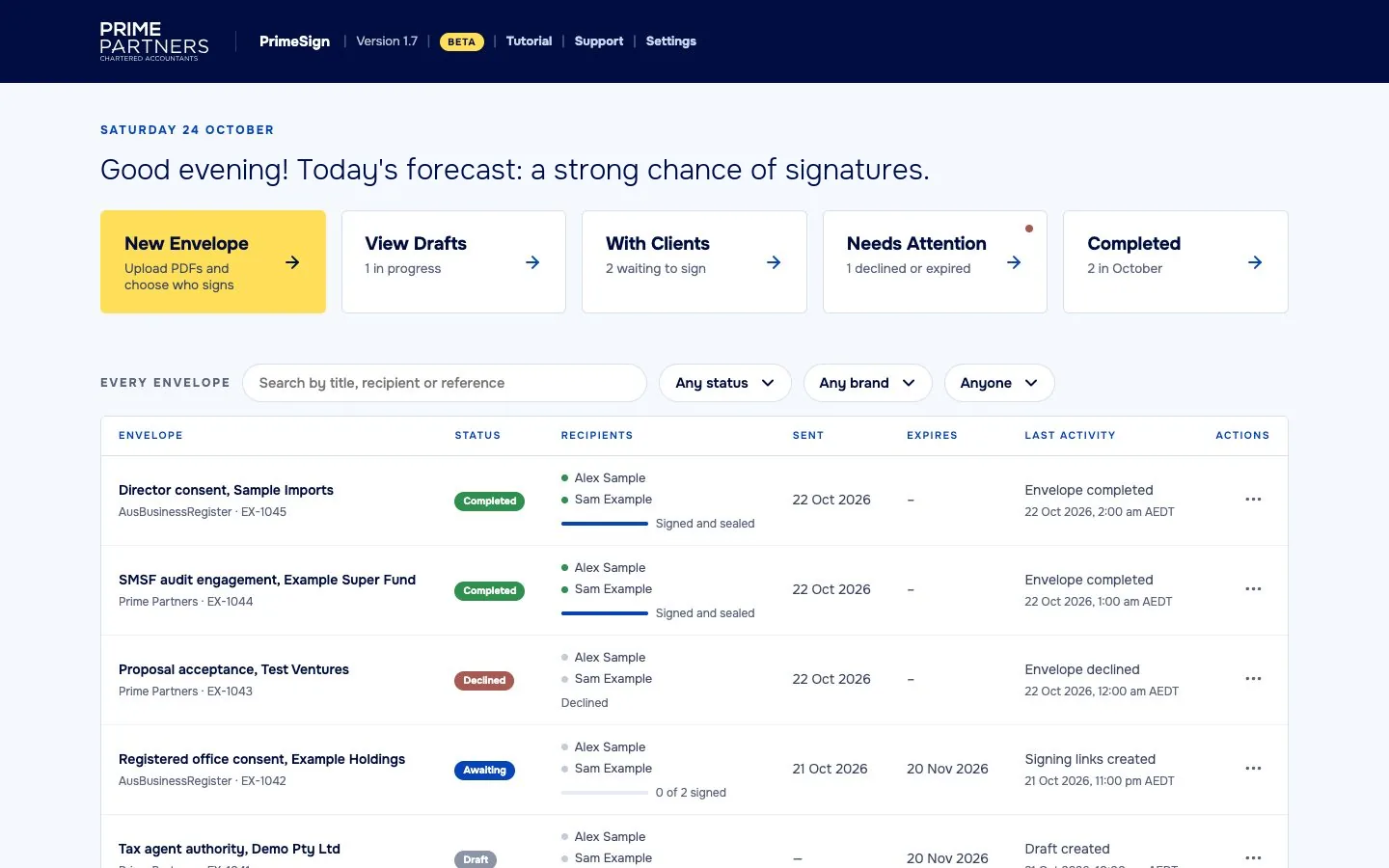
Everything you have out for signature, on one page
Drafts, documents waiting on clients, anything declined or expired, and what has come back signed. Search by title, recipient or reference.
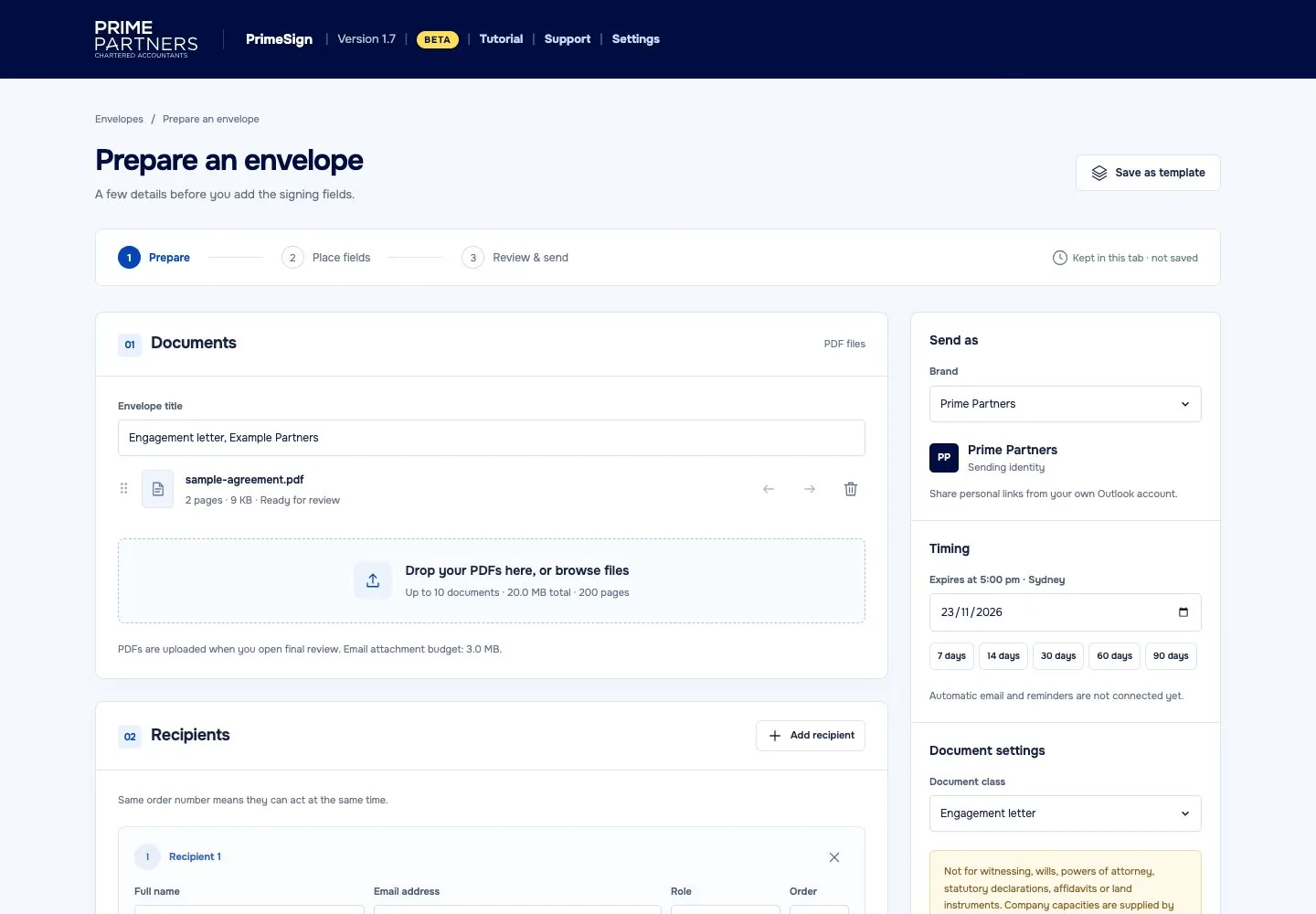
Add the PDFs and who signs
Choose the brand it goes out under, add recipients in signing order, set when the link expires and write a short note. Save it as a template for next time.
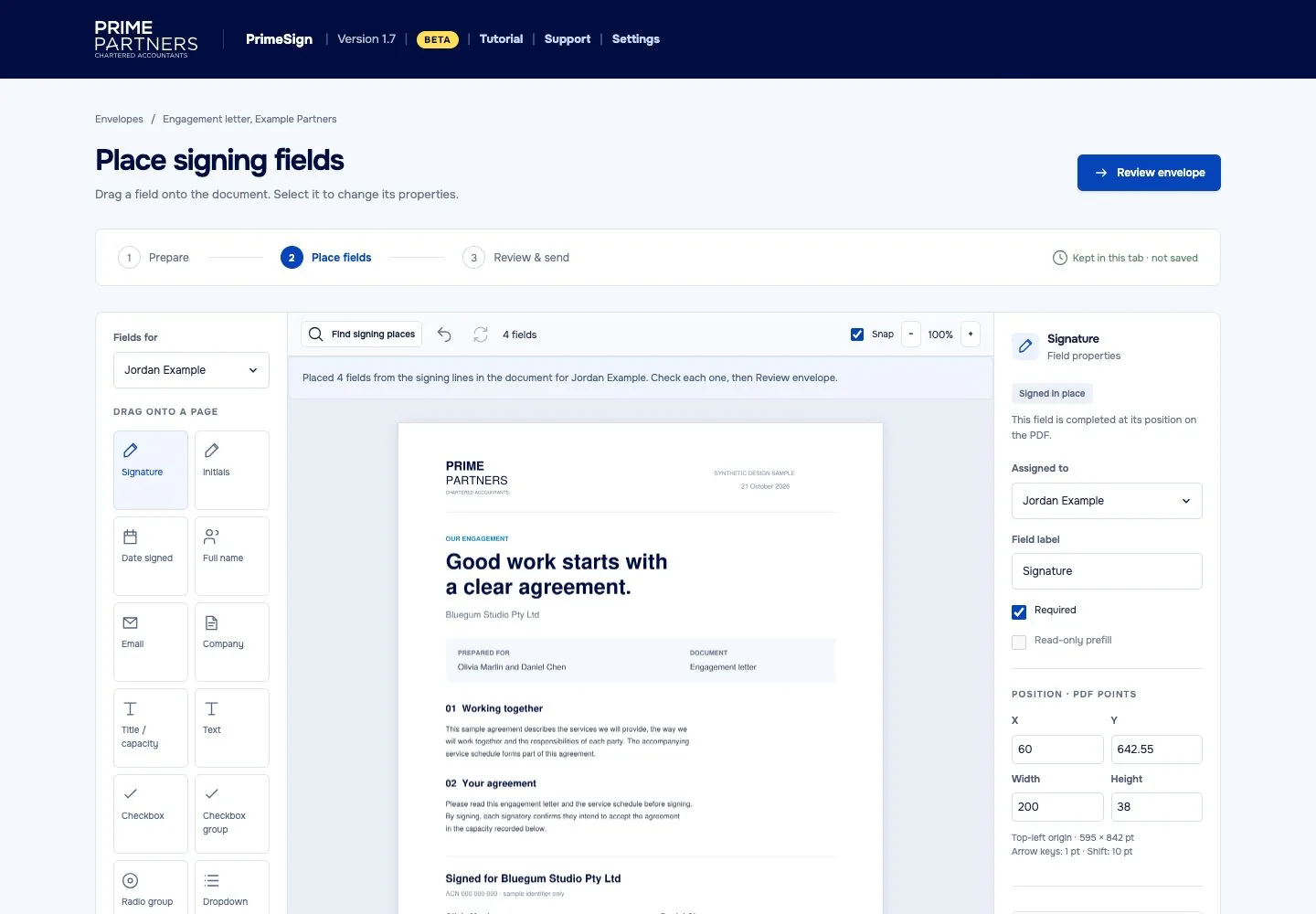
Fields placed on the signing lines for you
PrimeSign reads the signing lines in your PDF and puts the signature, name and date fields on them. Check each one, drag in anything extra, and move on.
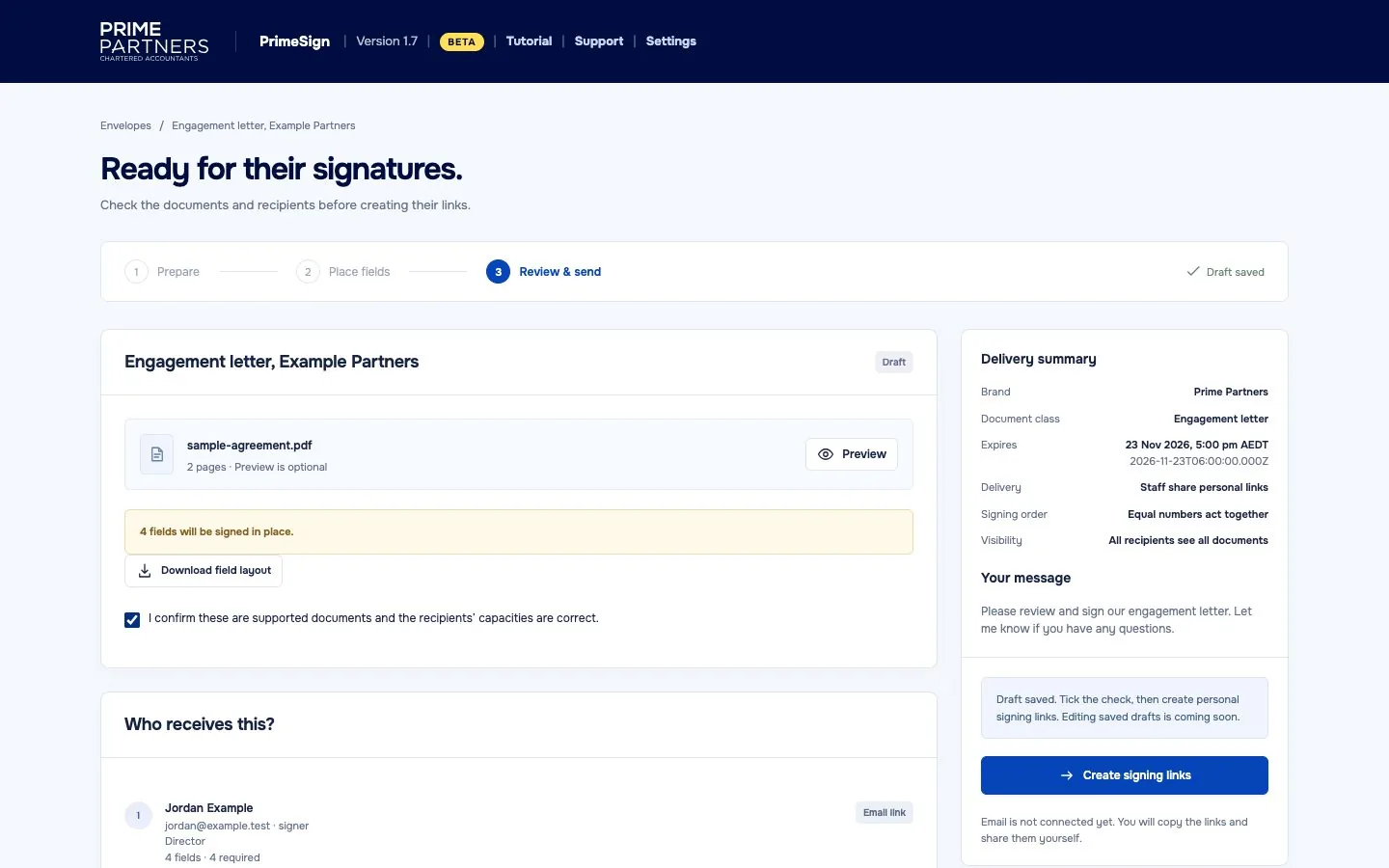
One last look before it goes
A summary of the document, the brand, the expiry and every recipient, with the number of fields each one has to complete.
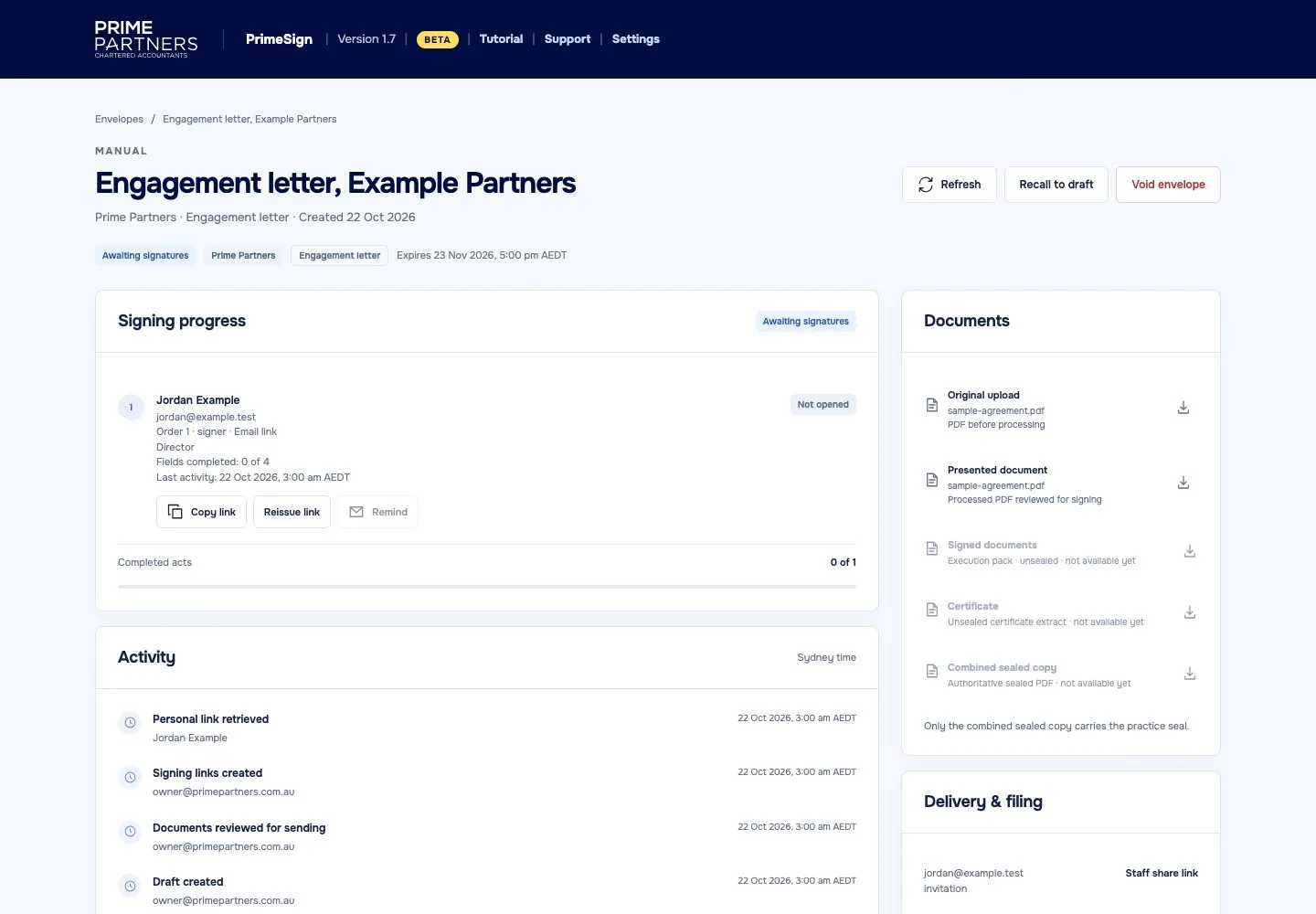
See where every envelope is up to
Who has opened it, who has signed and what is still waiting, with a time-stamped activity log and every version of the document to download.
Fields from the signing lines
Signature, name and date fields go where the PDF already asks for them. You check them rather than drawing every box.
Templates
Save an envelope you send often and start from it next time. Email templates set the wording of each message.
Tracking
Opened, signed or still waiting, for every recipient, with a time-stamped activity log behind it.
Sealed copies
The finished document carries your digital seal and a timestamp, so the file can be checked for changes made after signing. A completion certificate records each step.
Your branding
Your name, logo and contact details on every signing page and email. If you trade under more than one brand, you can send under each.
Encrypted at rest
Documents are encrypted where they are stored, and each signer gets their own personal link.
Your brand, not ours
Clients see your business. Not a signing company.
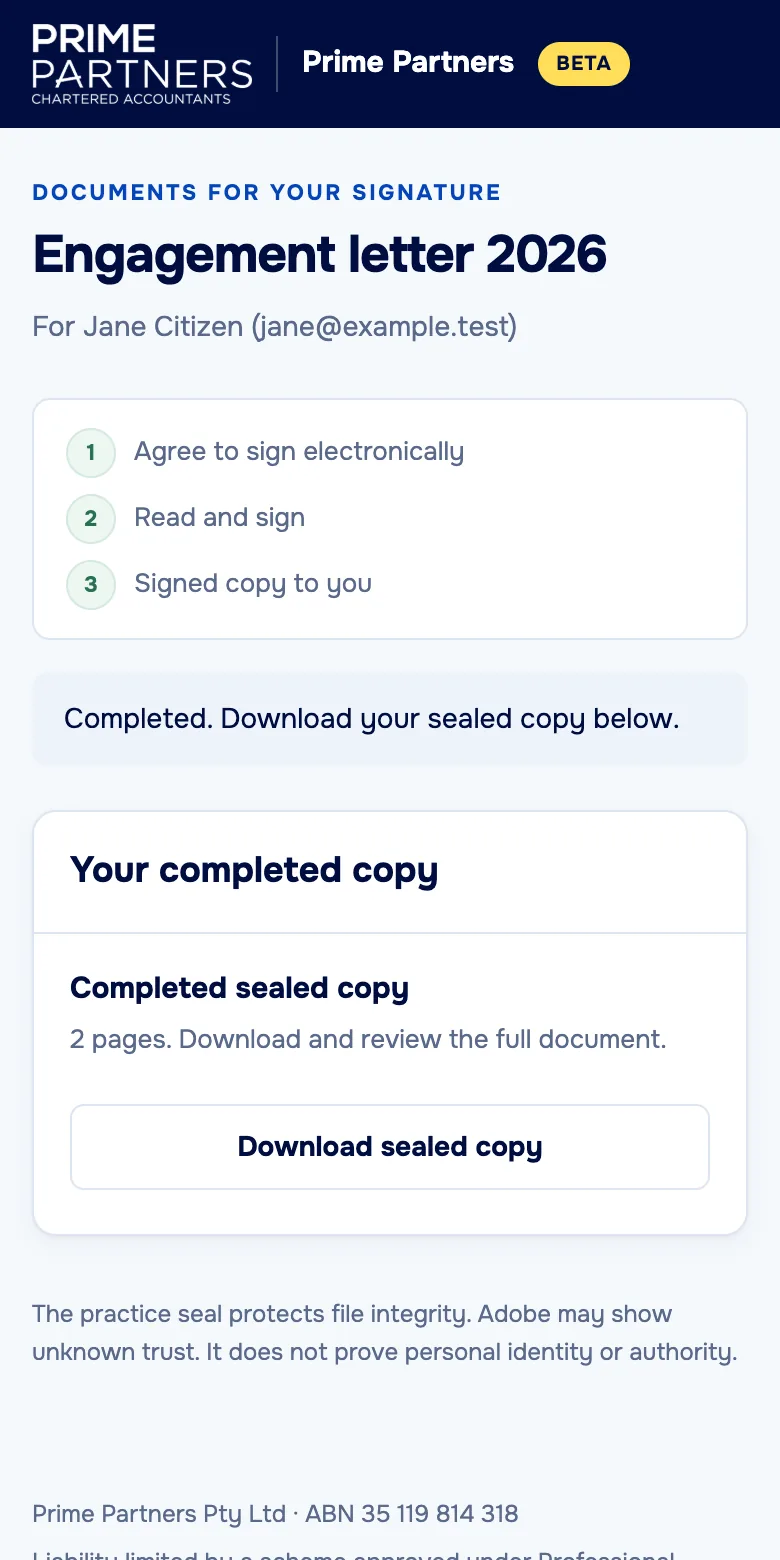
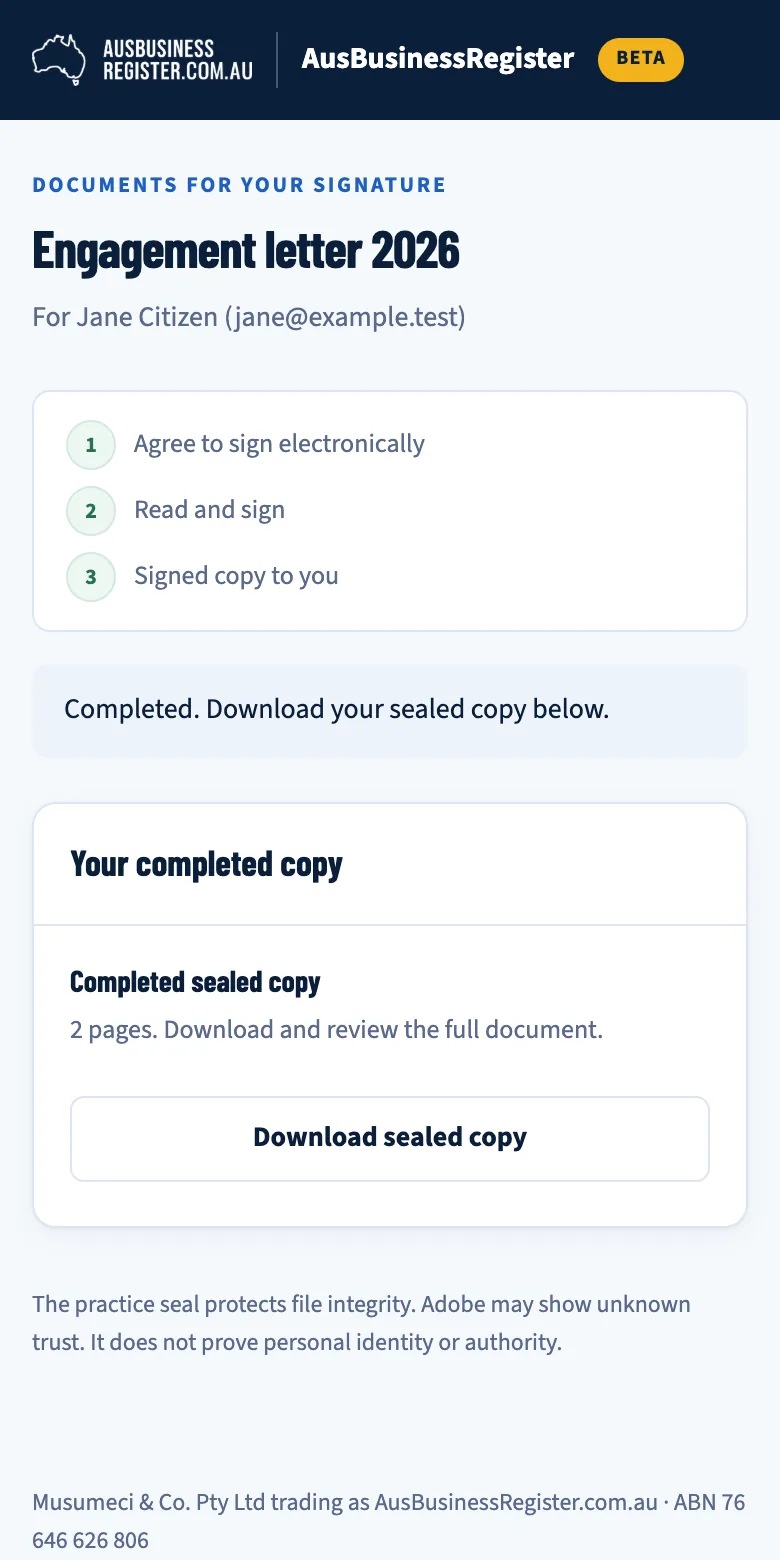
The email, the signing pages and the completed copy all carry your name, logo and look. Here is the same signed engagement letter under two different brands.
- Your logo and colours on every signing page
- Email wording you set for each brand
- Replies go to an address you choose
Who it's for
For accounting, legal, financial advice and conveyancing firms, and small businesses.
Any business that sends documents for signature. Most send the same kinds of papers. When PrimeSign opens, the waitlist comes first.
Accounting and tax
Engagement letters, tax agent authorities, director and officeholder consents, proposals.
Law firms
Costs agreements and disclosures, retainers, client authorities.
Financial advisers
Engagement letters, fee consent forms, client authorities.
Conveyancers
Client agreements, costs disclosures, client authorisations.
Bookkeepers and advisers
Engagement letters, BAS agent authorities, proposals, board and shareholder consents.
Small businesses
Quotes, service agreements, contractor and supplier agreements, consent forms.
Some documents have their own signing or witnessing rules. Check what applies to yours before sending it for electronic signature.
Where it is today
- Engagement letters, client agreements, authorities, consents and proposals
- Several signers, in order or all at once
- Fields placed from the PDF's signing lines
- Sealed copies and completion certificates
- More than one brand per account
On the way
- SMS verificationA code by text message before a signer can open the documents.
- Self sign-upSet up your own account without waiting for us.
Both are planned, not built. The waitlist is how we decide who to talk to first.
- When does it open?
- There is no date yet. We will email people on the waitlist before anyone else.
- What will it cost?
- Pricing is not set. Our aim is that signing a document online shouldn't cost more than posting it. We will talk it through with each business before they start.
- Is it only for professional firms?
- No. PrimeSign signs PDFs, so it suits any business that sends documents for signature, from a sole trader's quotes to a law firm's costs agreements.
- Who runs it?
- PrimeSign is run by Prime Partners Pty Ltd, an Australian company. Write to [email protected] with any question.
Waitlist
Be first to hear when PrimeSign opens.
Leave your details and we will get in touch when we can take you on. We will only use them to contact you about PrimeSign.
- Your details stay with us. Nothing is shared or sold, and there is no newsletter.
- When we can take you on, we email you to talk about what you send and how you work.
- Changed your mind? Email [email protected] and we remove your details.
See the privacy notice for what we keep and where.
You're on the list.
Thanks. We'll email you when PrimeSign is ready for you. If you change your mind, write to [email protected] and we'll remove you.